

These Instructions/Suggestions can be used for Credit Card checkout-and-return-to-the-site processed by PayPal.
1. To use a credit card, ignore the first section... look for the "or" (indicated by my little arrow).
Take the "Pay with a credit or Visa Debit card" button (my Big Arrow 1):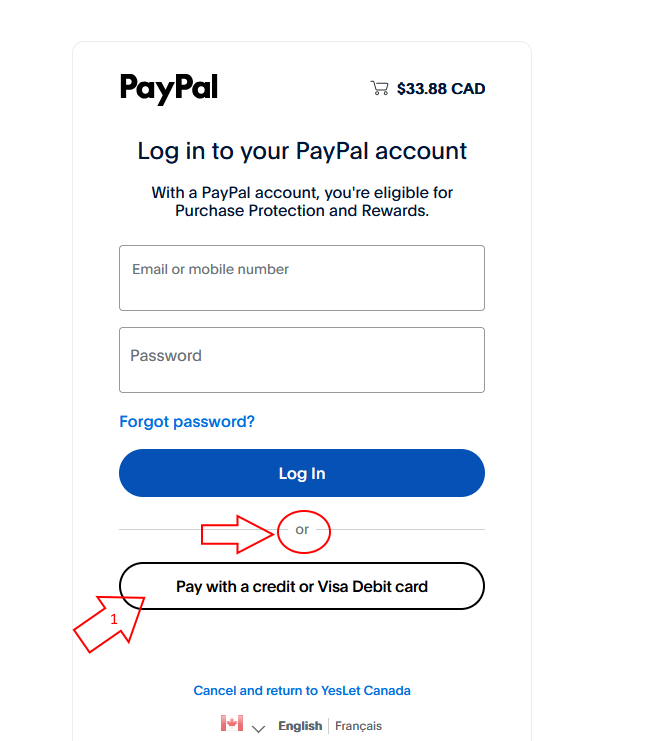
2a. In the top part of this screen "Pay with debit or credit card", fill in all the required fields (as indicated by my little arrows):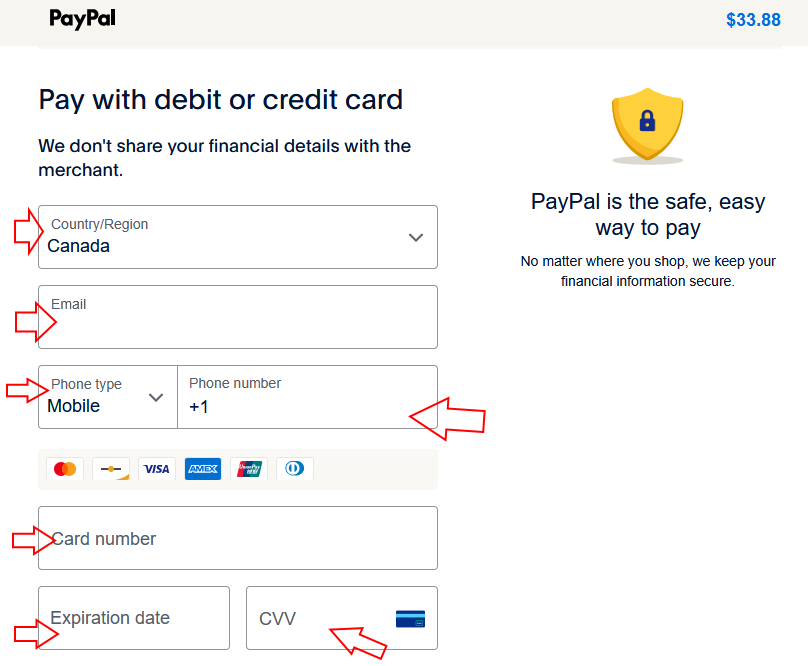
2b. In the bottom part, fill in the remaing required fields (indicated by my little arrows).
Then turn off the "Save info & create your PayPal account" option (as shown - Big Arrow 1).
Then click "Pay now as guest" (Big Arrow 2).
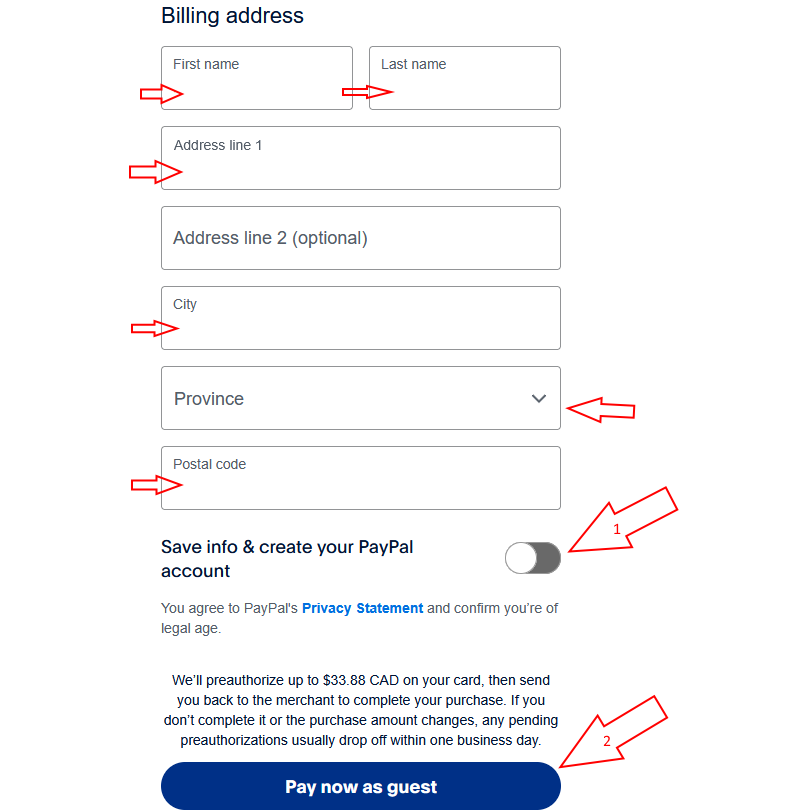
PayPal will process your card payment and return you to the Books And Records site.